Free AI Cinematic Photos & Mod Previews for Your Car or Bike
Generate a ready-to-use Gemini prompt for a cinematic photo of your own vehicle, or preview a modification — new wheels, a wrap colour, an exhaust upgrade — before you spend a rupee on it. Completely free, no app to install.
Cinematic Studio
NEWTurn your own vehicle photo into a cinematic shot, or preview a modification before you spend a rupee on it — free, powered by Gemini, your photo never leaves your device until you paste it in yourself.
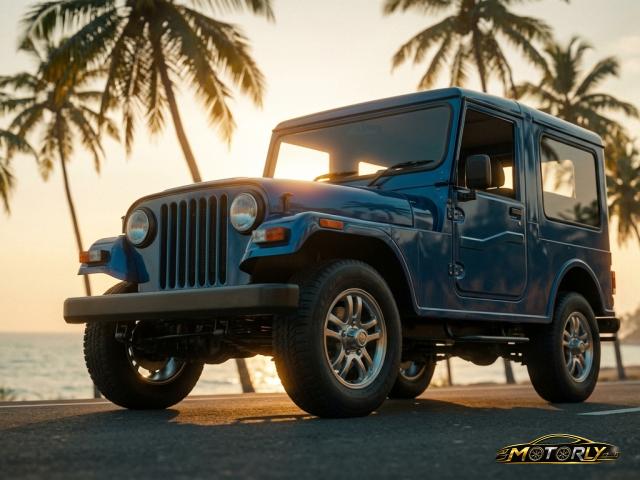
Golden Hour
Warm rim light on a coastal highway at sunset.
Best with: one front 3/4 or side photo of your vehicle.
Misty Ghats Sunrise
Winding through the Western Ghats at sunrise, low fog.
Best with: one side or rear 3/4 photo of your vehicle on a road.
Rain-Soaked Street
Neon reflections on a wet Kochi street at night.
Best with: one front 3/4 photo of your vehicle, ideally shot in low light.
Neon Night City
Dramatic low-angle shot under city neon lights.
Best with: one low-angle front or side photo of your vehicle.
Monsoon Drama
Storm light over a Kerala backwater road.
Best with: one front 3/4 photo of your vehicle.
Cinematic Night Drive
Long-exposure light trails on an empty night highway.
Best with: one side photo of your vehicle, ideally shot at night or dusk.
Emotional Connection
A candid, affectionate portrait with your vehicle.
Best with: one clear front or side photo of your vehicle, plus a photo of yourself if you want to appear in the shot.
Destination Poster — Road Trip Edition
Your car at a South India destination, with bold poster-style typography.
Best with: one front 3/4 photo of your car, plus a photo of yourself if you want to appear in the shot.
How it works
Pick a style or scenario
Choose a Photography Style for a cinematic shot, or a Virtual Studio scenario to preview a modification.
Enter your vehicle
Make, model, year, and colour — pick from the list, no need to remember exact spellings.
Copy, paste, generate
Copy the prompt, open Gemini, upload your own photo, paste the prompt, and generate.
Frequently asked questions
Is Cinematic Studio really free?
Yes. Generating and copying a prompt is completely free — as a guest you get 3 free prompts before we ask you to sign in (also free) to keep going.
Do I need to install an app?
No. Motorly generates the text prompt — you copy it, open Google's Gemini app or gemini.google.com, upload your own vehicle photo, paste the prompt, and generate the image there.
What is Virtual Studio?
Virtual Studio previews a modification — a new wheel design, a wrap colour, an exhaust upgrade, a lowered stance — realistically applied to your own car or bike, so you can see it before spending money on the real thing.
Does Motorly store my photos?
No — Motorly never sees or stores your vehicle photo. You upload it directly inside Gemini, not on Motorly's site.